Masalah Instalasi Pytorch

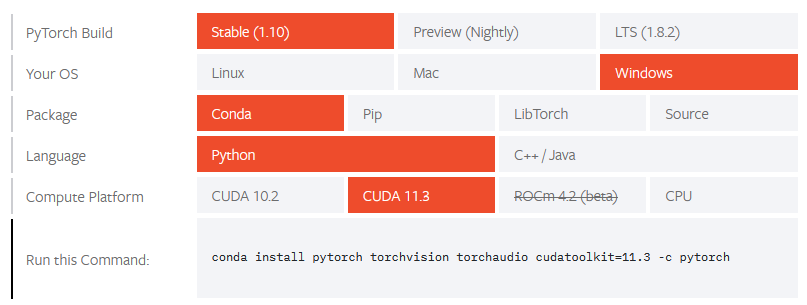
Perintah untuk instalasi pytorch:

conda install pytorch torchvision torchaudio cudatoolkit=11.3 -c pytorch

Permasalahan:

Downloading and Extracting Packages
pytorch-1.10.0       | 1.45 GB   | ######################################################1                      |  71%

CondaHTTPError: HTTP 000 CONNECTION FAILED for url <https://conda.anaconda.org/pytorch/win-64/pytorch-1.10.0-py3.9_cuda11.3_cudnn8_0.tar.bz2>
Elapsed: -

An HTTP error occurred when trying to retrieve this URL.
HTTP errors are often intermittent, and a simple retry will get you on your way.

Penyebab

  • Download file pytorch terlalu lambat, sehingga conda mengalami timeout

Solusi:

Ubah timeout, dengan perintah “conda config --set remote_read_timeout_secs new_time_out , atau

Download file besar secara manual menggunakan wget

Referensi

Instalasi Redmine 4.0.6 di Ubuntu 20.04.2

Berikut ini cara instalasi redmine versi 4.0.6 di Ubuntu 20.04.2. Redmine 4.0.6 adalah versi redmine yang dapat diinstall menggunakan tools apt dari Ubuntu. Pada saat tulisan ini dibuat, versi terbaru dari Redmine adalah 4.2.3

Instalasi Aplikasi Pendukung


apt-get install apache2 software-properties-common ruby-rmagick mysql-server mysql-client mysql-common ruby-dev build-essential libmysqlclient-dev libssl-dev gcc libmysqlclient-dev  libapache2-mod-passenger

apt-get install imagemagick libmagickcore-dev libmagickwand-dev
apt-get install libmagickcore-dev 

Instalasi Redmine dan update bundle dari Ruby

apt-get install redmine redmine-mysql
gem update
gem install bundler

cd /usr/share/redmine
bundle update

Konfigurasi Apache2

edit file /etc/apache2/mods-available/passenger.conf 

existing:

PassengerRoot /usr/lib/ruby/vendor_ruby/phusion_passenger/locations.ini PassengerDefaultRuby /usr/bin/ruby

ditambah “PassengerDefaultUser www-data” menjadi:

PassengerDefaultUser www-data
PassengerRoot /usr/lib/ruby/vendor_ruby/phusion_passenger/locations.ini PassengerDefaultRuby /usr/bin/ruby

tambahkan symlink:

ln -s /usr/share/redmine/public /var/www/html/redmine

edit file /etc/apache2/sites-available/000-default.conf , tambahkan sebagai berikut:

<Directory /var/www/html/redmine>
    RailsBaseURI /redmine
    PassengerResolveSymlinksInDocumentRoot on
</Directory>

Tambahkan file lock untuk Gemfile

touch /usr/share/redmine/Gemfile.lock
chown www-data:www-data /usr/share/redmine/Gemfile.lock

Restart Apache supaya konfigurasi dibaca ulang:

service apache2 restart

cek di browser:

ke alamat http://192.168.0.203/redmine

Restart Apache2

service apache2 restart

Browse ke alamat server anda, misal http://192.168.0.10/redmine

default username: admin, default password: admin
setelah login akan diminta untuk mengganti password

Jika muncul pesan kesalahan, coba jalankan instruksi berikut ini [ref: https://www.redmine.org/boards/2/topics/65152]

bundle clean --force
bundle update thor
bundle install
bundle update
service apache2 restart

Instalasi Moodle 3.6 pada Ubuntu 20.04.2

Pada saat tulisan ini dibuat, Moodle terbaru adalah versi 3.11. Namun demikian, Moodle versi 3.6 masih diperlukan jika kita melakukan upgrade dari Moodle versi sebelum 3.6. Ada sedikit kesulitan pada instalasi Moodle 3.6 karena Moodle 3.6 tidak dapat diinstall dengan PHP 7.3, padahal instalasi Ubuntu 20.04.2 secara default akan menginstall PHP versi 7.4. Untuk itu kita perlu mengubah sedikit prosedur instalasi, supaay versi PHP yang diinstall adalah versi 7.3, bukan 7.4

Tahap instalasi

Tahap pertama adalah update Ubuntu

apt update
apt upgrade

Setelah itu download dan buka source code Moodle 3.6

cd /var/www/html
tar -xzvf moodle-latest-36.tgz

pakai PHP 7.3

  • ref: https://docs.moodle.org/dev/Moodle_and_PHP
  • https://www.tecmint.com/install-different-php-versions-in-ubuntu/

add-apt-repository ppa:ondrej/php
apt update
apt upgrade

apt install apache2
apt install mysql-server
apt install php7.3
apt install php7.3-xml
apt install php7.3-curl
apt install php7.3-gd
apt install php7.3-zip
apt install php7.3-intl
apt install php7.3-mysqli
apt install php7.3-mbstring
apt install php7.3-xmlrpc
apt install php7.3-soap
apt install libapache2-mod-php7.3 php7.3-mysql

apt install apache2 mysql-server php7.3 php7.3-xml php7.3-curl php7.3-gd php7.3-zip php7.3-intl php7.3-mysqli php7.3-mbstring php7.3-xmlrpc php7.3-soap libapache2-mod-php7.3 php7.3-mysql

Restart apache2

service apache2 restart

Masuk ke console MySQL , kemudian buat user baru untuk Moodle:

CREATE USER 'moodle'@'localhost' IDENTIFIED BY 'moodlepassword';
GRANT ALL PRIVILEGES ON moodle . * TO 'moodle'@'localhost';
ALTER USER 'moodle'@'localhost' IDENTIFIED WITH mysql_native_password BY 'moodlepassword';

Setelah itu proses instalasi dapat dilanjutkan melalui web browser

browse ke http://192.168.0.120/moodle/
auto redirect ke http://192.168.0.120/moodle/install.php

Simulasi Pendaratan Starship dari SpaceX

Proses instalasi

conda install pip
pip install jupyter
pip install jupyterthemes
pip install matplotlib
pip install casidi

Referensi

Incorrect Labels in Global Wheat Head Dataset 2021

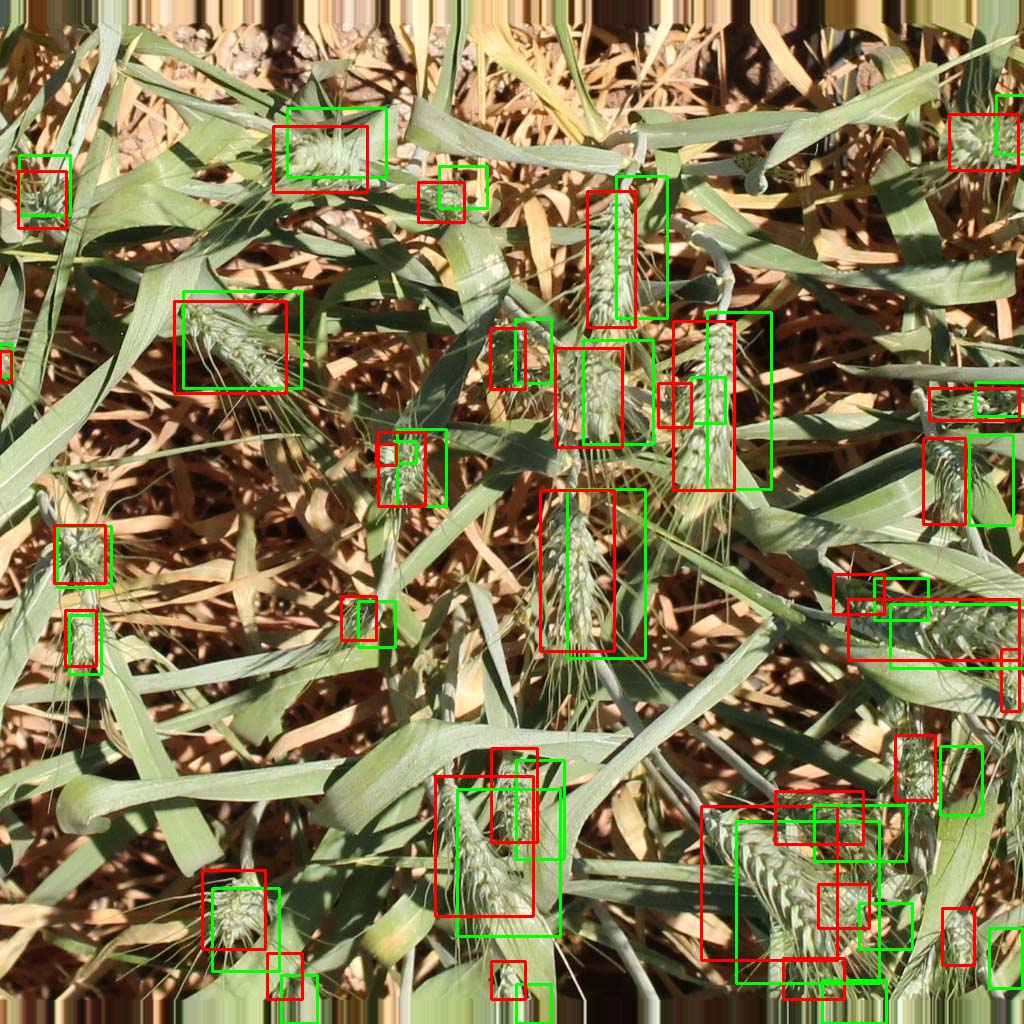
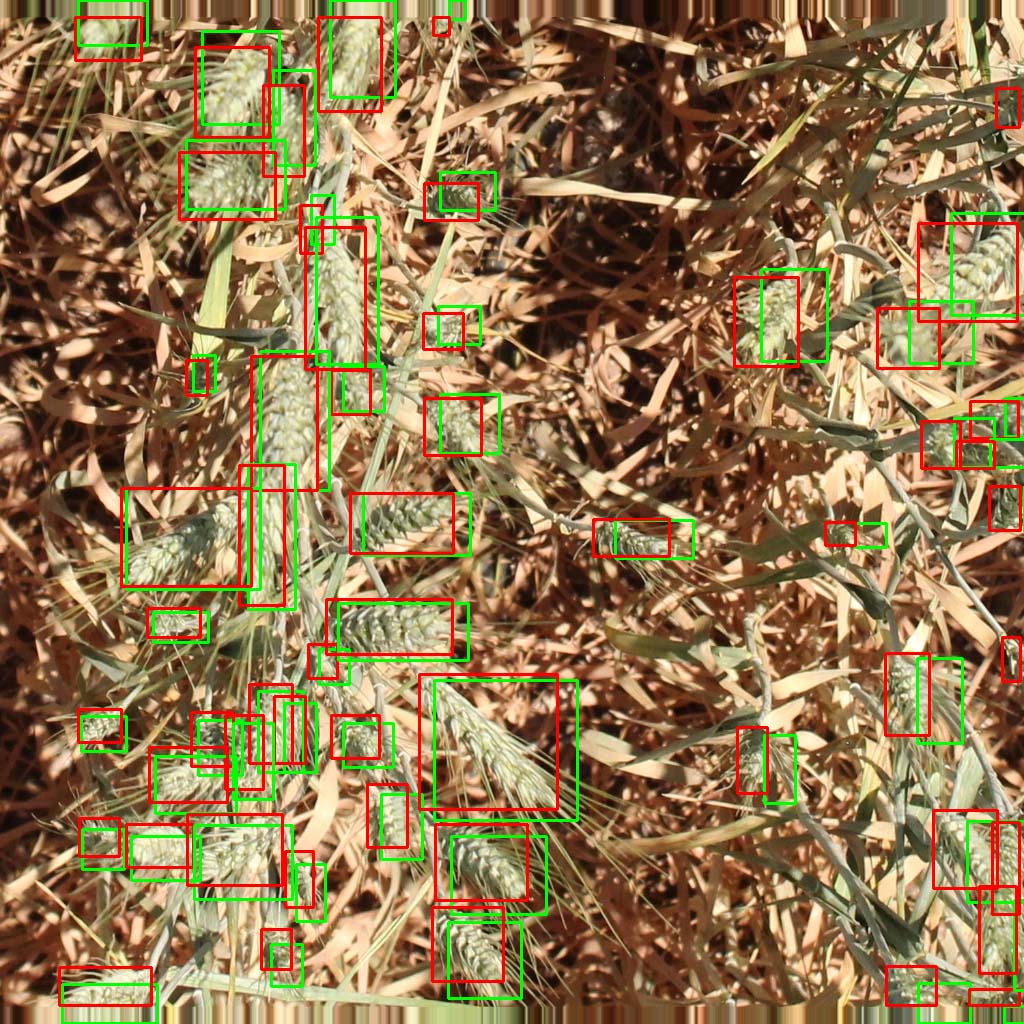
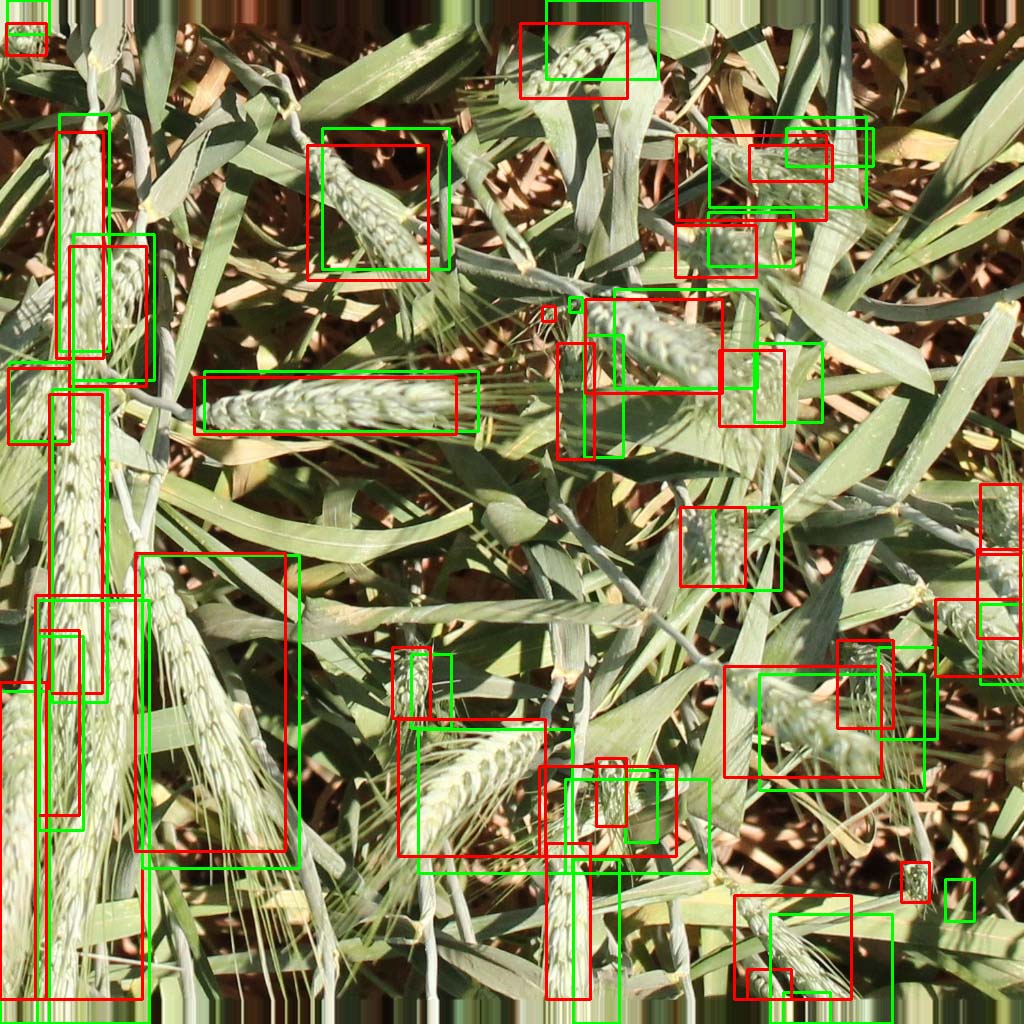
There are several incorrect labels in Global Wheat Head Dataset 2021. Some images are annotated in their original size. After that, the images are resized to final size (1024×1024 pixels). As the result, the bounding boxes are a little bit off.

Here is the list of affected images

Image LabelReason
0af5c1bc753619e4f5d504e5424d056af22954f04d50cd0d4a21682cfdd9a4dc.png Image file resized after annotation
4c9c82eeefaaa8b3b7300561820274c0ff576b47ada9239862f4a295cbdb18b7.png Image file resized after annotation
6be51c1a5132034427ecabaafa679fcac7c8f95e05a595df69401766b90d7890.png Image file resized after annotation

To correct the annotation, the coordinates must be multiplied by a correction factor and shifted a little bit downward. Here is the comparison between original annotation (green) and corrected annotation (red).

0af5c1bc753619e4f5d504e5424d056af22954f04d50cd0d4a21682cfdd9a4dc

IndoNLG: Benchmark and Resources for Evaluating Indonesian Natural Language Generation

Abstract

A benchmark provides an ecosystem to measure the advancement of models with standard datasets and automatic and human evaluation metrics. We introduce IndoNLG, the first such benchmark for the Indonesian language for natural language generation (NLG). It covers six tasks: summarization, question answering, open chitchat, as well as three different language-pairs of machine translation tasks. We provide a vast and clean pre-training corpus of Indonesian, Sundanese, and Javanese datasets called Indo4B-Plus, which is used to train our pre-trained NLG model, IndoBART. We evaluate the effectiveness and efficiency of IndoBART by conducting extensive evaluation on all IndoNLG tasks. Our findings show that IndoBART achieves competitive performance on Indonesian tasks with five times fewer parameters compared to the largest multilingual model in our benchmark, mBART-LARGE (Liu et al., 2020), and an almost 4x and 2.5x faster inference time on the CPU and GPU respectively. We additionally demonstrate the ability of IndoBART to learn Javanese and Sundanese, and it achieves decent performance on machine translation tasks.

Link: https://arxiv.org/abs/2104.08200